



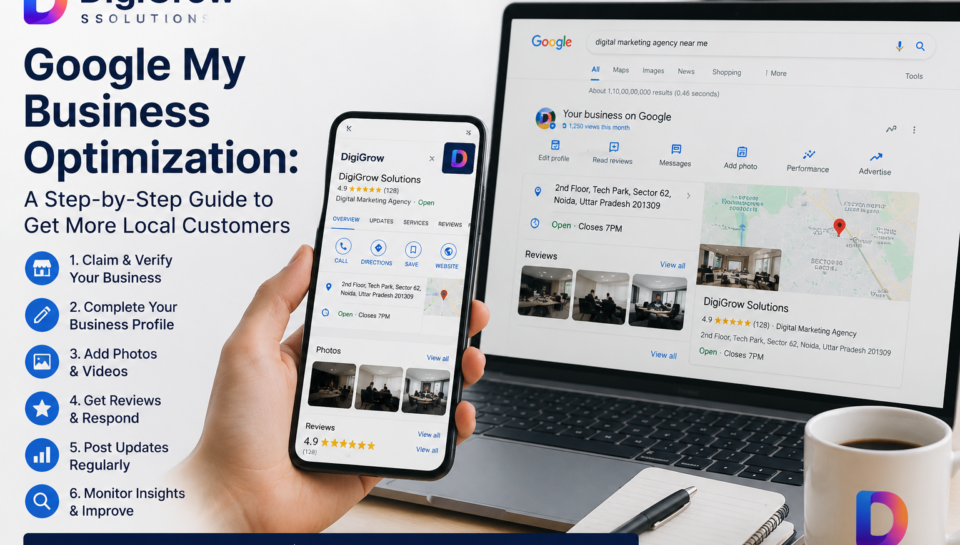
Google My Business Optimization: A Step-by-Step Guide to Get More Local Customers
When someone in your city searches for the service you offer, three things can happen. Your business shows up at the top of Google Maps and they call you. A competitor shows up instead and they call them. Or nobody relevant shows up and the customer gives up.
The difference between the first and second outcome, for most small businesses, comes down to one thing — how well your Google Business Profile is set up and maintained.
This guide walks you through every step, in plain language, with no technical jargon.
What Is Google My Business and Why Does It Matter?
Google My Business — now officially called Google Business Profile — is the free tool that controls how your business appears on Google Search and Google Maps. When someone searches “dentist near me” or “web design agency in Lucknow,” the map results with business names, ratings, photos, and phone numbers are all powered by Google Business Profiles.
Getting into that top 3 map listing — called the Local Pack — is often more valuable than ranking on the first page of regular search results. Users searching locally are usually ready to act. They’re not researching, they’re deciding.
Step 1: Claim and Verify Your Business Profile
Before anything else, you need to own your profile. Search your business name on Google. If a listing already exists, claim it. If it doesn’t, create one at business.google.com.
Verification is usually done by postcard — Google mails a code to your business address which you enter to confirm the listing is genuine. Some businesses qualify for phone or email verification. Either way, an unverified profile has limited visibility and features, so this step is non-negotiable.
Step 2: Fill In Every Single Section
Most businesses claim their profile, add a phone number, and call it done. This is exactly why most businesses don’t rank.
Google rewards completeness. Every section you leave blank is a signal you’re not serious about your profile. Here’s what needs to be filled in without exception:
| Profile Section | What to Include |
|---|---|
| Business name | Exact legal or commonly known name — no keyword stuffing |
| Primary category | The most accurate description of what you do |
| Secondary categories | Additional services you offer |
| Business description | 150-300 words, natural language, include your city and main services |
| Address | Complete, accurate, matching your website exactly |
| Phone number | Primary contact number, local preferred |
| Website URL | Link to your homepage or most relevant landing page |
| Business hours | Accurate, updated for holidays and special days |
| Services or products | List every service individually with descriptions |
| Attributes | Wheelchair accessible, women-led, accepts cards — whatever applies |
Step 3: Choose the Right Business Categories
Your primary category is one of the strongest ranking signals in local search. Choose the most specific, accurate option available — not the broadest one.
For example, if you run a dental clinic, “Dentist” is better than “Health Care Provider.” If you’re a digital marketing agency, “Internet Marketing Service” is more precise than “Marketing Agency.”
Secondary categories let you cover additional services. A web development company might add “SEO Agency” and “Software Company” as secondary categories to capture a wider range of relevant searches.
Step 4: Add High-Quality Photos Regularly
Businesses with photos on their profile receive significantly more clicks and direction requests than those without. Photos build trust before the customer has even visited your website.
What to upload:
— Exterior photo of your shop or office so customers recognise it
— Interior photos showing your workspace or environment
— Team photos showing the people behind the business
— Product or service photos showing actual work you’ve done
— Logo and cover photo that match your brand
Don’t upload stock photos. Real, contextual images perform better and build more credibility. Add new photos at least once a month — Google factors in profile activity when determining ranking.
Step 5: Collect and Respond to Reviews Consistently
Reviews are one of the top three local ranking factors Google uses. More importantly, they directly influence whether a potential customer chooses you or a competitor.
The most effective way to get reviews is simply to ask — directly, personally, right after a good experience. Send a WhatsApp message with your Google review link. Put the link in your email signature. Add a small card at your checkout counter with a QR code.
Responding to reviews matters just as much as getting them. Reply to every review — thank positive ones specifically rather than with a generic response, and address negative ones calmly and constructively. A business that engages with its reviews signals to both Google and potential customers that it’s active and accountable.
Step 6: Post Regular Updates on Your Profile
Most businesses don’t know that Google Business Profile has a posts feature — similar to a social media feed that appears directly on your listing. You can post offers, announcements, new services, events, or helpful tips.
Posting once a week keeps your profile active and signals to Google that your business is engaged. Posts expire after 7 days for offers, so regular posting also keeps your listing looking fresh to anyone who finds it.
Step 7: Use the Q&A Section Proactively
The Q&A section on your Google profile allows anyone to ask questions publicly. The problem is, if you don’t answer them, someone else might — with wrong information.
Go into your profile and add your own questions and answers covering the most common things customers ask: pricing range, parking availability, appointment booking process, areas you serve. This section also gets indexed by Google, which means well-written answers can appear directly in search results.
Step 8: Keep Your NAP Consistent Everywhere
NAP — Name, Address, Phone — must be identical across every platform where your business appears. Google cross-references your profile against Justdial, Sulekha, Facebook, Instagram, your website, and other directories.
Even small differences — “St.” vs “Street,” or a different phone number format — create inconsistency signals that can suppress your local ranking. Do a quick audit of your top 10 online listings and standardise them.
How Long Before You See Results?
With a fully optimised profile and consistent activity, most businesses start seeing improved local visibility within 4 to 6 weeks. Reviews take longer to build but have a compounding effect — 50 genuine reviews accumulated over 6 months will outperform a sudden burst of 20 reviews in a week.
Consistency is the real strategy here. Businesses that update their profile regularly, respond to reviews promptly, and add fresh photos monthly tend to hold their local rankings far more stably than those who optimise once and forget about it.
FAQs
1. Is Google My Business completely free to use?
Yes, Google Business Profile is entirely free. You can claim, verify, and fully optimise your listing without paying Google anything. The investment required is time — setting it up properly and maintaining it regularly.
2. My business doesn’t have a physical shop — can I still use Google My Business?
Yes. Service-area businesses like plumbers, home tutors, or delivery services can set up a profile without displaying a public address. You list the areas you serve instead, and Google will still show your listing to searchers in those locations.
3. Why is my Google Business Profile not showing up in the top 3 results?
The most common reasons are an incomplete profile, very few or no reviews, inconsistent NAP information across the web, or a poorly optimised website backing the listing. Start with a full profile audit — fill every section, fix inconsistencies, and begin actively collecting reviews.
4. Can I have multiple Google Business Profiles for the same business?
Only if you have genuinely separate physical locations. Creating duplicate listings for the same address is against Google’s guidelines and can result in both listings being suspended. Each verified address should have one profile.
5. How do I handle a fake or negative review on my Google profile?
Respond professionally to every negative review — calmly acknowledge the concern and offer to resolve it offline. For reviews that are clearly fake or violate Google’s policies, use the flag option within your profile to report them. Google does remove reviews that violate their content policies, though the process takes time.
6. Does adding more photos really help with ranking?
Yes, indirectly. Photos increase profile engagement — more clicks, more direction requests, more calls. Google tracks these engagement signals and factors them into local ranking. An active profile with fresh photos consistently outperforms a static one with outdated images.
Final Thoughts
Google My Business is one of the most underused tools in local digital marketing — not because businesses don’t know it exists, but because most treat it as a one-time setup rather than an ongoing asset.
The businesses showing up at the top of Google Maps in your city right now aren’t necessarily the biggest or the oldest. They’re the ones with complete profiles, genuine reviews, regular updates, and consistent information across the web. Every single one of those things is within your control starting today.